Ad-hoc segments, Timezone sends, Push broadcasts and more
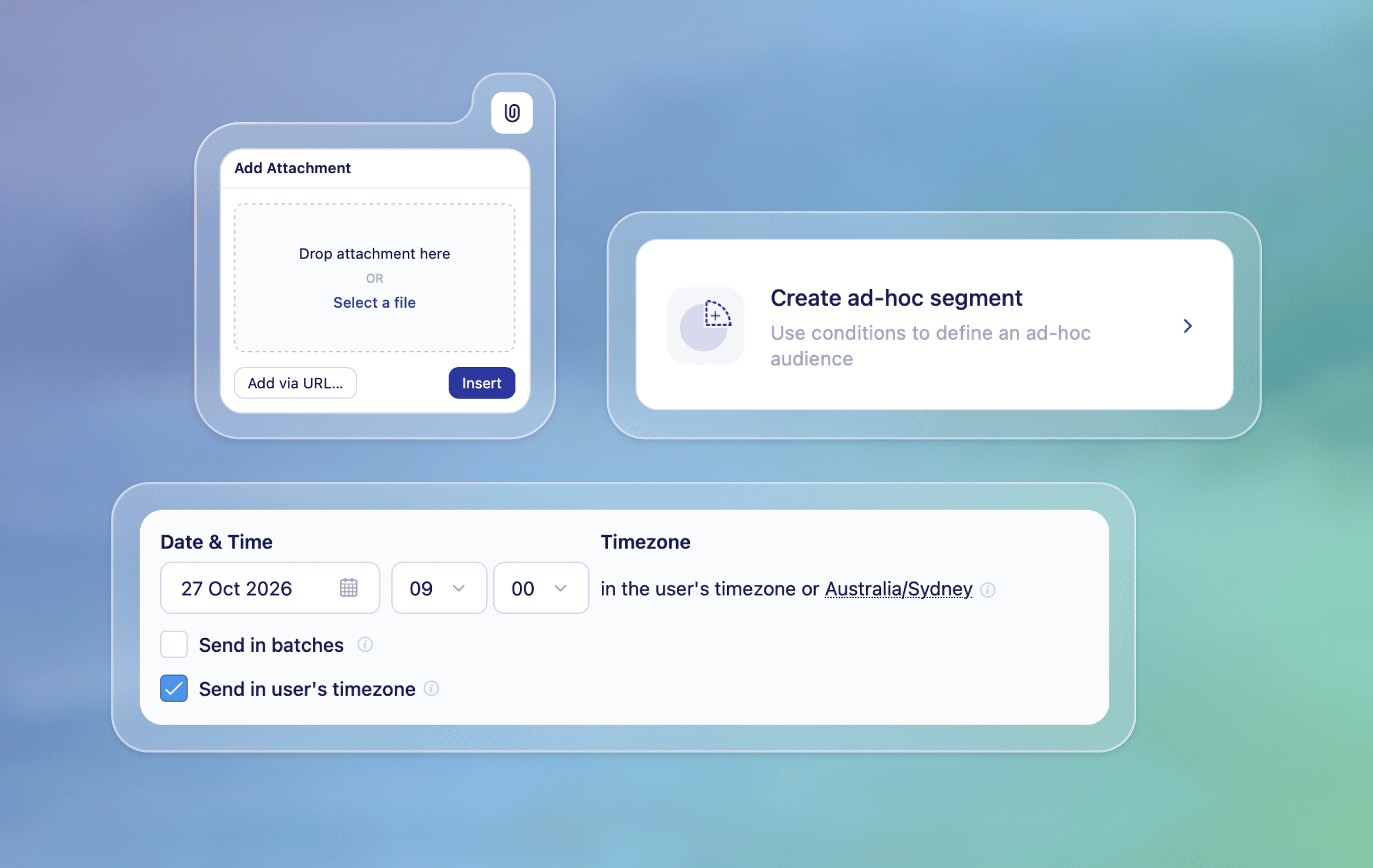
We're back with another round-up of what we shipped over the past few weeks. Subscription topics and the hosted preference center can now be managed by everyone in Vero 2.0, and broadcasts gain ad hoc segments, push, email attachments and sending in each recipient's timezone.
New
Ad hoc segments in broadcasts - In Vero 2.0 you can now define a broadcast's audience with conditions right inside the broadcast, without creating a segment first. Great for… This is a big improvement over Vero 1.0, newsletters which only allows sending to conditions of segments you'd already set up. Ah-hoc segments also support Refresh at send time so your audience matches your conditions at the moment the broadcast sends. Learn about ad-hoc segments
Subscription topics and preference center - All customers can now manage subscription topics and turn on the hosted preference center directly in the Vero 2.0 UI. From the new Subscription Management page, create topics, choose whether new profiles are subscribed by default, set the order topics appear in, and turn on the preference center so recipients can choose which messages they receive. Add
{{url.manage_preferences}}to your emails to link to it, then select a topic on a broadcast or journey to send only to that topic's subscribers.Send push broadcasts to ad hoc segments - In Vero 2.0 you can now send push broadcasts to an audience defined with an ad hoc segment, either immediately, scheduled for later, or on a recurring schedule.
Email attachments in Vero 2.0 - Add files to your broadcast and journey emails using a file URL and filename. Both support Liquid, so you can personalise attachments for each recipient. Attachments require a connected email provider and aren’t supported with Vero Managed delivery. Learn about attachments
Send in Timezone in Vero 2.0 - You can now schedule a Vero 2.0 broadcast to send at a chosen local time across your audience's timezones. Schedule it for 9am, for example, and sending starts at 9am in each recipient's timezone, rather than at one time for everyone. Vero uses timezone data from your connected audience first, then falls back to profile data and your project timezone. If you spread a send across batches, batch delays apply within each timezone, starting from its scheduled local time. Learn about sending in a users' timezone
Improved
Identify broadcast channels at a glance - The broadcast list now shows channel-specific icons for email, SMS, and push, making it easier to see which channel each broadcast uses without opening it.
Clearer launch checklist for A/B variants - It's now easier to see what's preventing your A/B campaign from launching. Launch checks identify which variant content needs attention, including its language where applicable. Expand an error to see content-specific details, so you can find and resolve the problem before launching.
Live campaign status updates - Campaign statuses in the campaigns list now update as they change, without needing to refresh the page.
Browse 100 audience profiles per page - Audience previews now show 100 profiles per page.
Sorting templates - You can now sort your template library by last updated (newest or oldest first) or by title (A–Z or Z–A). We've also tidied up the template page and show more templates by default.
Clearer properties in the data inspector - The data inspector now makes it clearer which user properties are available. When an audience hasn't been loaded, you'll see a note explaining that loading one will reveal more properties. For event-triggered messages and journeys, the inspector now shows the profile properties available for those messages, helping you see the data you can use while editing.
Fixes
Recurring broadcasts in local time - Fixed an issue where in some cases recurring broadcasts sent in local time could arrive an hour late in UTC+14, or stay on Sending after delivery had finished.
Default language labels - Fixed an issue where, content without a language set appeared as an added language instead of default content.
Tag updates - Fixed an issue where, in some cases, adding or removing tags could fail when other profile updates happened at the same time.
For any questions don't hesitate to reach out to support@getvero.com