Subscription preferences are now fully available in Vero 2.0
Give your recipients a say in what they hear from you. With subscription topics, people can drop the messages they don't want and keep the ones they do, instead of unsubscribing from everything. Topics, the hosted preference center and subscription settings on every broadcast and journey are now out of beta and available on every Vero 2.0 project.
Here's everything you need to know to get set up.
What's new
Turn on the preference center and create your topics
Topics are the categories your messages fall into, like Product updates, Weekly digest or Offers and promotions. Head to Settings → Subscription Management to turn on the hosted preference center and add your topics. For each topic you can add a description, choose whether new profiles are subscribed by default, and drag topics into the order recipients will see them.
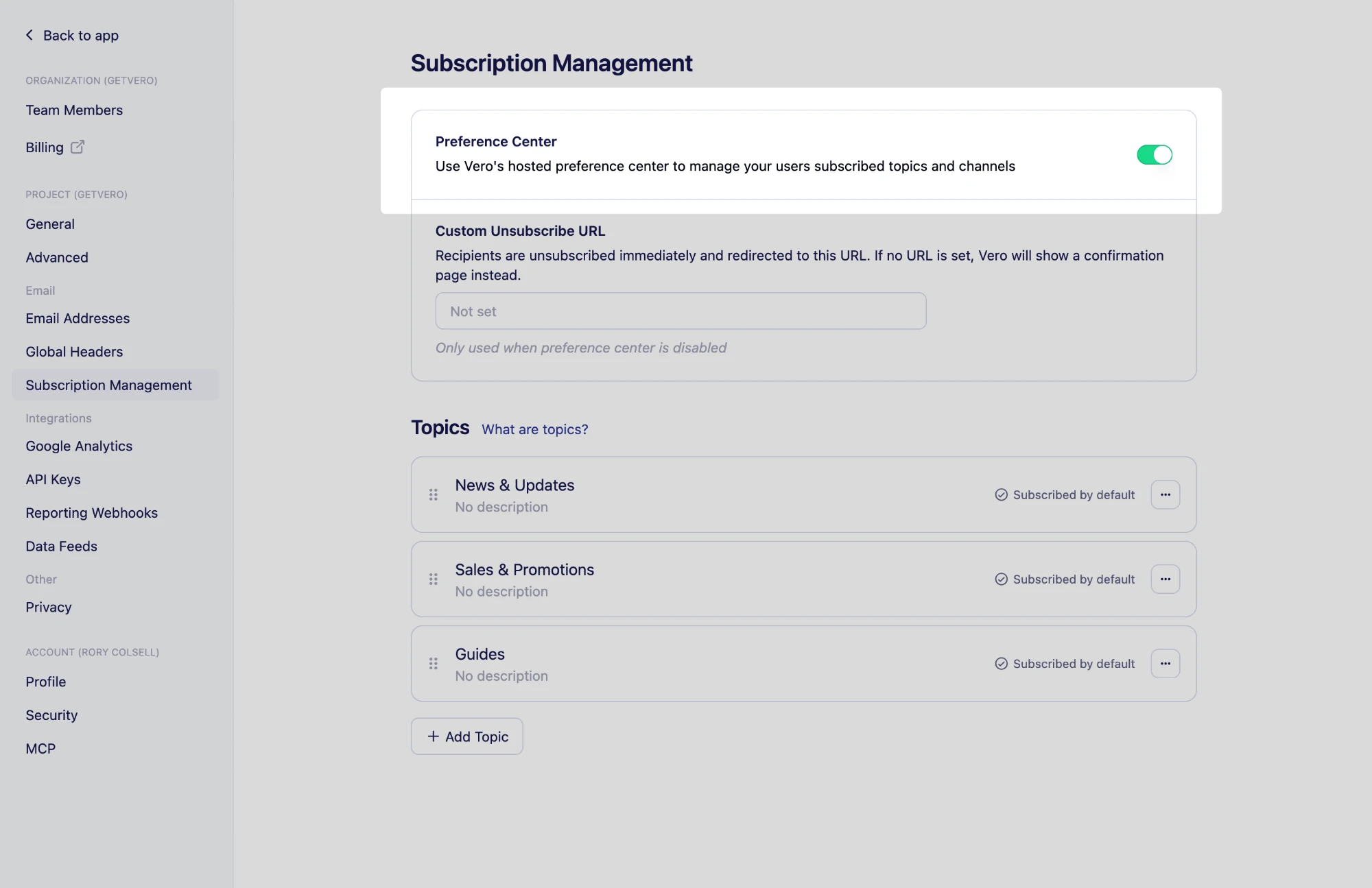
Topics are shared with Vero 1.0, so any topics you've already created are there waiting for you.
Link to the preference center from your emails
Add {{url.manage_preferences}} to your email footer for a ready-made Manage preferences link, or use {{url.manage_preferences_link}} to build your own. Each recipient gets a personal link to a Vero-hosted page where they can choose their topics, unsubscribe from everything, or resubscribe.
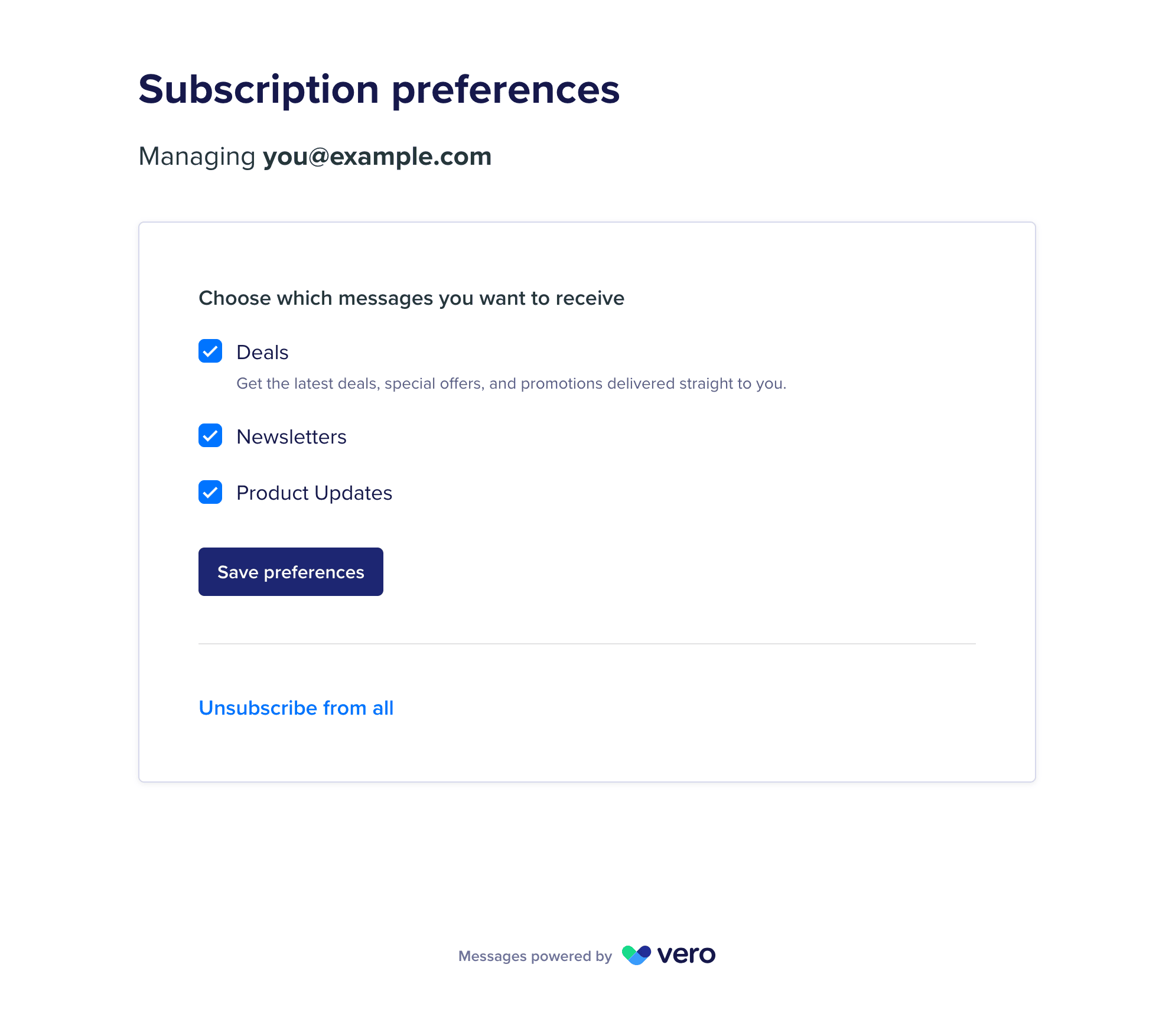
When someone clicks their mail client's Unsubscribe button on an email sent to a topic, Vero unsubscribes them from that topic only, so they keep getting everything else.
Learn how to set up a preference center
Choose who each broadcast and journey reaches
Every broadcast and journey now has a Subscription setting under Targeting. It decides which profiles in your audience receive the message:
All subscribed – the default. Everyone in your audience who is subscribed.
A topic – only subscribed profiles who have also subscribed to that topic.
All subscribed and unsubscribed (Transactional) – everyone in the audience, including people who have unsubscribed. Use this for messages people need to receive, like order or delivery notifications.
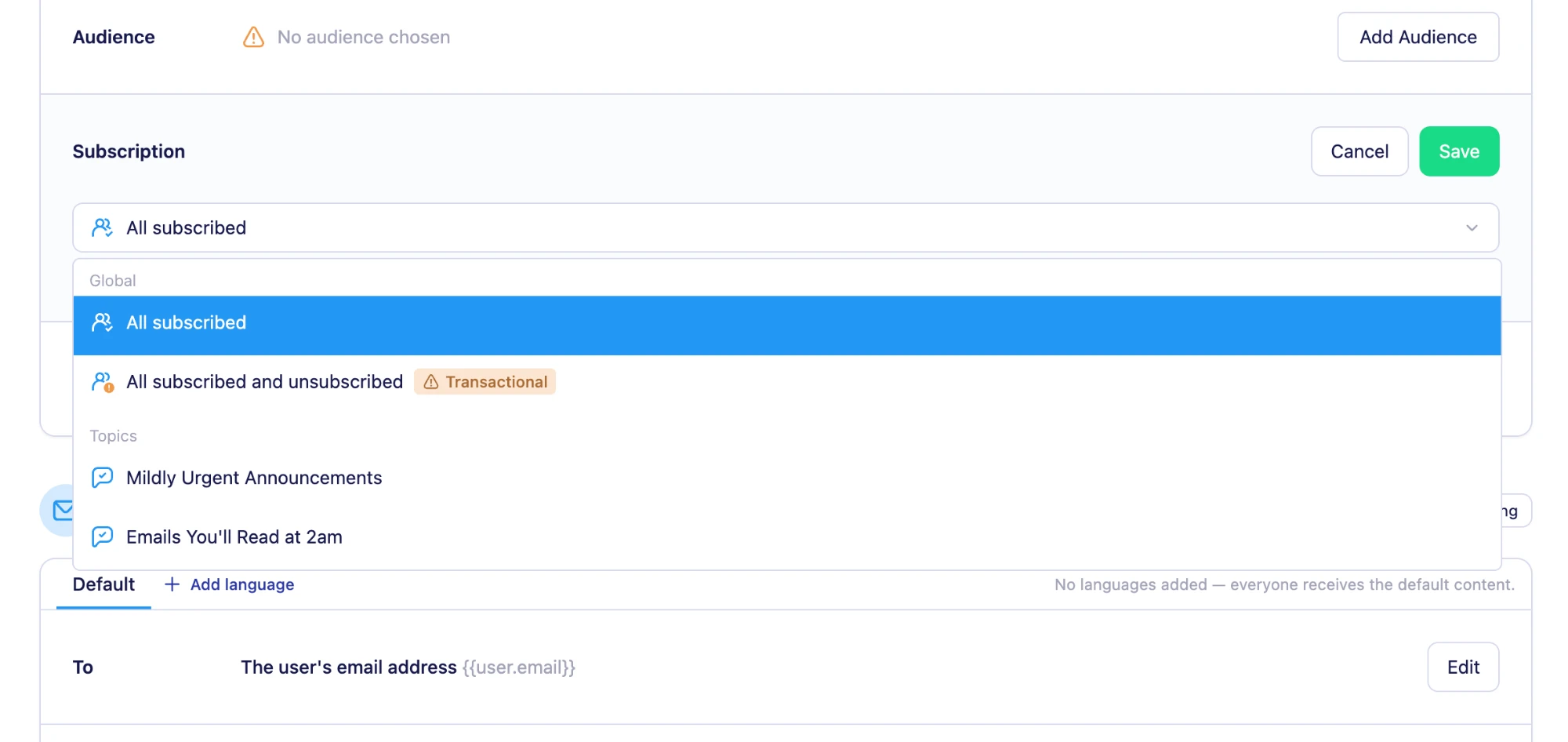
This replaces the old "Send to unsubscribed users" checkbox, so the rules for who receives a message live in one place. Transactional SMS messages are also sent during quiet hours, and transactional isn't available on broadcasts with a recurring schedule.
In a journey, the Subscriptions setting on the overview page applies to every Email, SMS and Push node, which show it as Same as journey. If one message needs different rules, give that node its own setting from its side panel, and click Use journey subscription to switch it back. For example, you can make a single SMS order confirmation transactional so it goes out during quiet hours, while the rest of the journey waits.
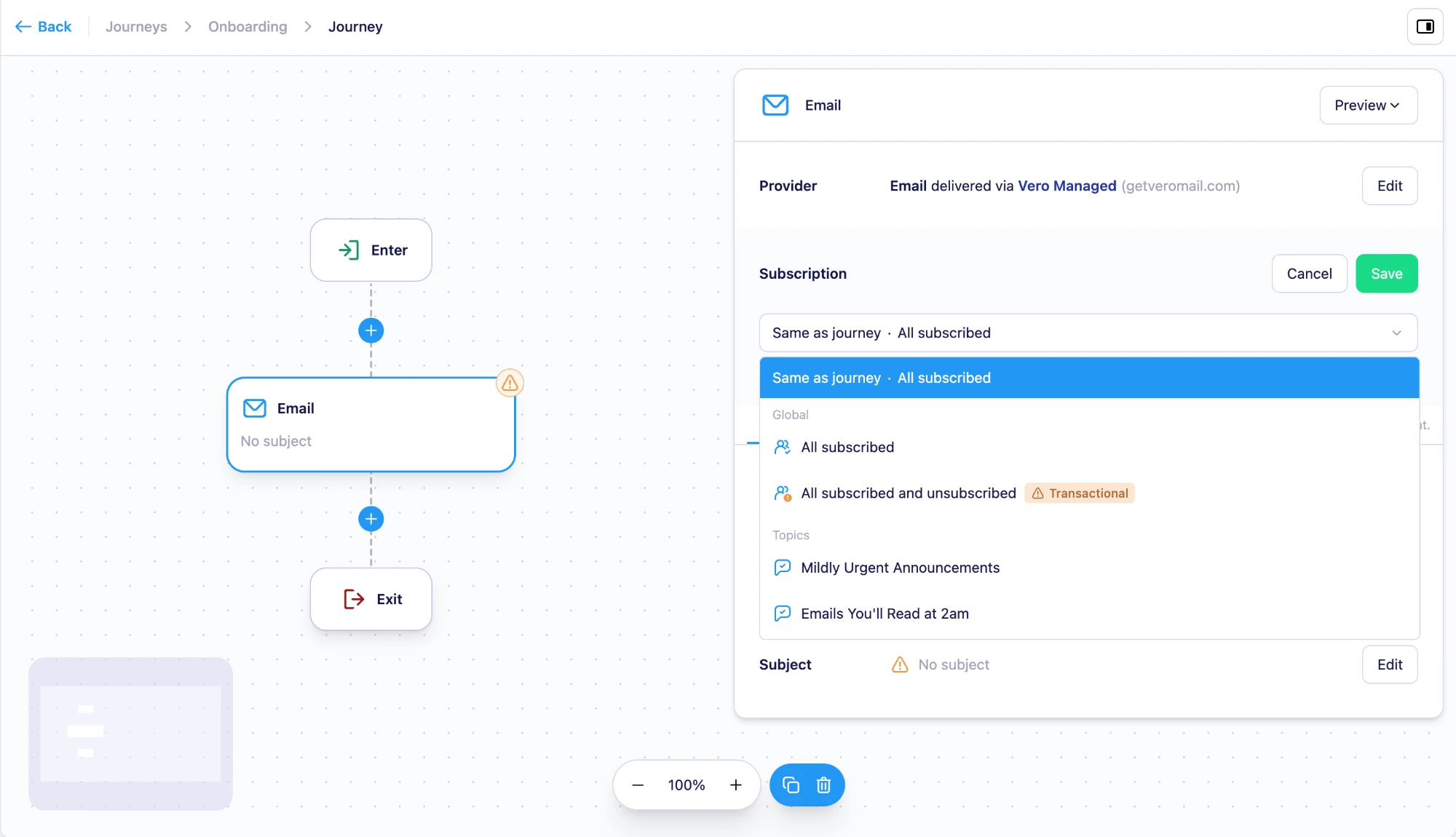
Learn about campaign subscription settings
See subscriptions on every profile
The Subscriptions panel on a profile shows its status for each topic, and whether that status comes from the topic's default or from the person's own choice. With the person's consent, your team can change a topic subscription from the Subscriptions tab.
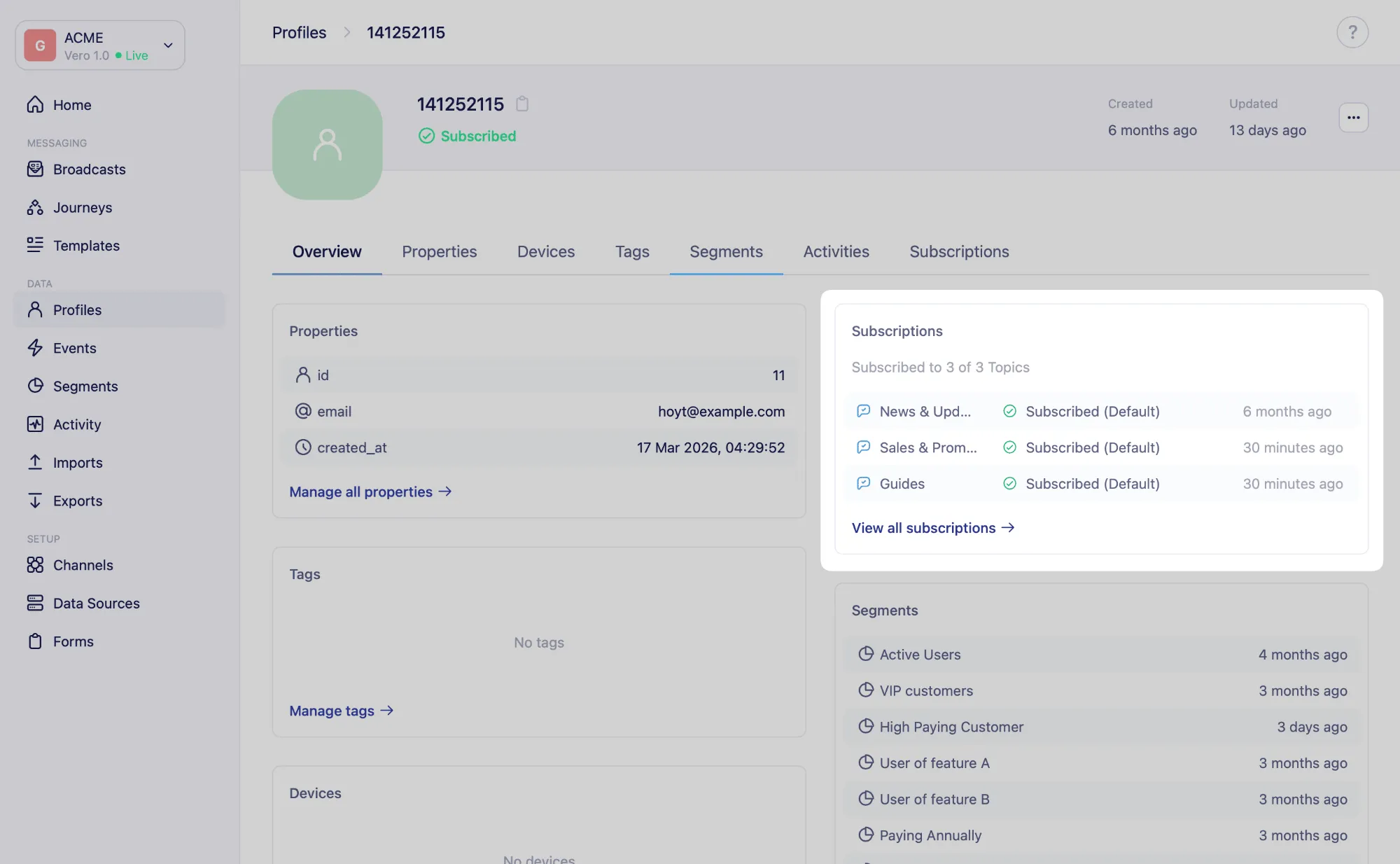
Changing a topic never changes whether someone is subscribed to your project. Someone who has unsubscribed from your project won't receive broadcasts or journey emails sent to a topic, even if they're still subscribed to that topic.
Learn how to manage a profile's topic subscriptions
Manage topics and preferences through the API and MCP
Keep preferences in sync with your own systems, like a signup form or another tool that holds consent. Include preferences.topics when you identify a user to set their status for any topic, by id or name. Topics you leave out keep their current status.
{
  "id": "1000",
  "email": "test@example.com",
  "preferences": {
    "topics": [
      { "name": "Weekly digest", "status": "subscribed" },
      { "id": 12, "status": "unsubscribed" }
    ]
  }
}
You can also list, create and update topics through the Campaigns API, or ask your AI assistant to do it with the Vero MCP server's topic_list, topic_get, topic_create and topic_update tools.
Learn how to identify users or explore the Vero MCP server
For any questions, reach out to support@getvero.com.