Drag and Drop Content Editor
It’s an exciting day! We’re pleased to announce our first major release of the Drag and Drop editor. It’s a feature that we believe will transform the way you design, build, and edit responsive email templates.
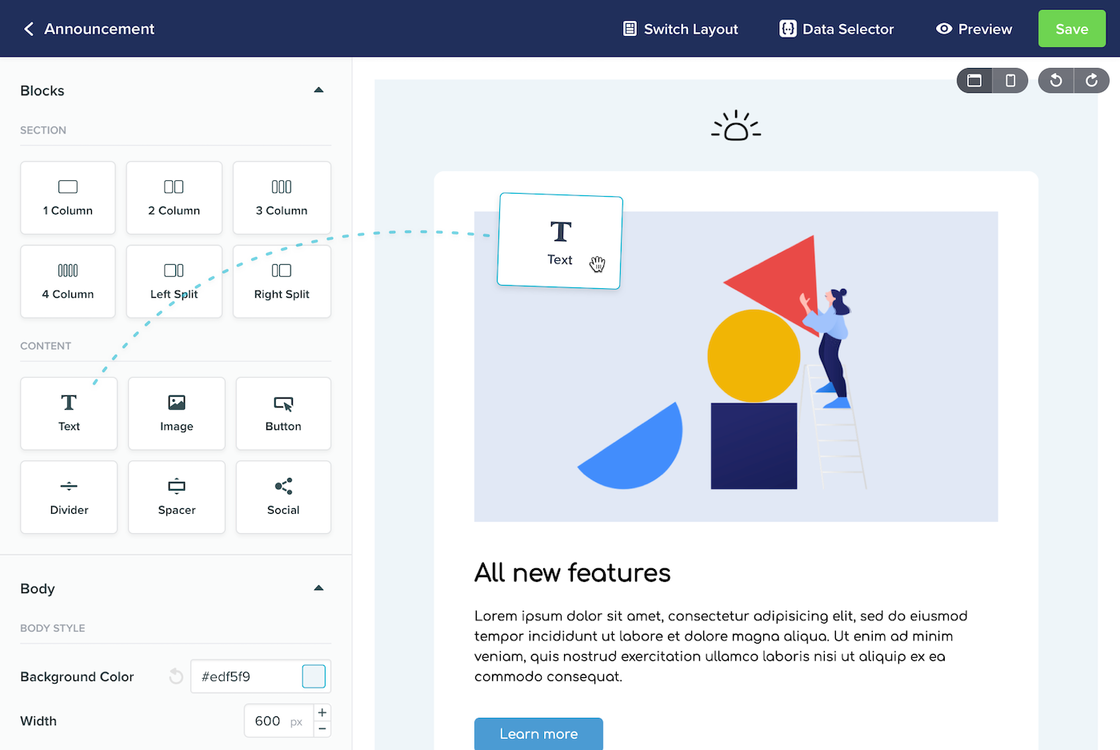
Built from the ground up on top of the popular and open source MJML framework, rather than dropping in a third party template builder, meant we could focus on the user experience and still ensure your templates are fully supported across all major devices and email clients.Here's a few things you're going to love about drag and drop template editing:
Intuitive interface - Design and build your custom layouts using the intuitive drag and drop interface. Choose your layout, add content blocks, and make granular style adjustments until things look exactly how you want. All without writing a single line of code.
Inline content editing - With direct, contextual content editing, adding or updating your content is as simple as clicking on your content and typing inline.
Reusable templates - Save your design as a template, choose it in any campaign, and update the content in exactly the same way you created it.
Built in templates to start you off - Give yourself a head start by choosing from one of our sample templates or layouts.
Live previews - See exactly how your content will look while you edit, making edits in both desktop and mobile mode.
- Built on MJML - We've built our drag and drop editor on top of the popular MJML framework. You can feel confident that every change you make is supported by all the major email clients on every device.We're incredibly happy with our first release of this editor, however we know there's still more we can do to deliver the perfect template editing experience. So please let us know your thoughts, and if you have any specific feature requests, we'd love to hear them.Read more about these updates on the blog