SMS node in Journeys
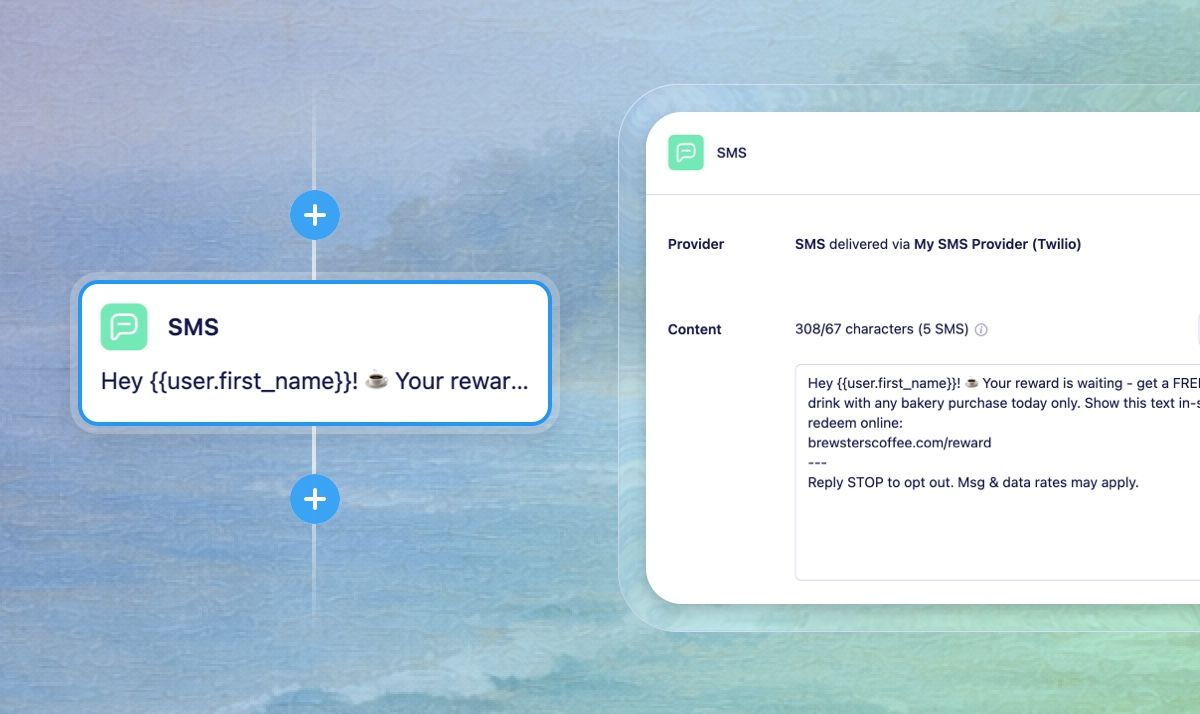
We're excited to share that SMS is now available in Journeys in Vero 2.0. You can now include text messages in your automated workflows, adding SMS to your multi-channel marketing strategy alongside email.
What's new
SMS node in Journeys
Journeys now supports SMS messaging with a dedicated SMS node. You can build automated SMS workflows triggered by user events and behavior, allowing you to send timely, personalized text messages based on customer actions. Whether you're sending order confirmations, appointment reminders, cart abandonment messages, or follow-ups, SMS gives you a direct line to your customers as part of sophisticated, multi-step campaigns.
Learn how to add an SMS node to your journeys
Phone number tracking
You can now track and store phone numbers for your users via the API using the phone_number property. Phone numbers are displayed in user profiles and used as the channel address for SMS campaigns, giving you a complete view of how to reach each customer. This unlocks the ability to send automated SMS messages in Journeys to users who have been identified with a phone number.
Learn how to track phone numbers to user profiles
Getting started
To start sending SMS messages in Journeys, you'll need to:
Track phone numbers for your users via the API using the
phone_numberpropertyConfigure your SMS provider in Vero 2.0 settings
Add SMS nodes to your Journeys and craft your messages
For any questions don’t hesitate to reach out to support@getvero.com